
Download GeoGebra Classic 6 – Free Math Software for Windows, Mac, Android & iOS
Overview
GeoGebra Classic 6, cebir, geometri, kalkülüs ve istatistiği tek bir etkileşimli ortamda birleştiren çok yönlü, ücretsiz bir matematik platformudur. Hem sınıf içi öğretim hem de bağımsız çalışma için tasarlanan bu uygulama, öğrencilerin soyut kavramları dinamik yapılar ve gerçek zamanlı manipülasyonlar aracılığıyla görselleştirmesini sağlar. Öğretmenler, ders‑hazır çalışma sayfaları oluşturabilir, etkileşimli grafikleri sunumlara gömebilir ve yerleşik değerlendirme araçlarıyla öğrenci anlayışını anında ölçebilir. GeoGebra’yı farklı kılan, bir ağacın yüksekliğini ölçmek ya da hareket eden bir nesneyi izlemek gibi günlük senaryoları ilgi çekici matematik problemlerine dönüştürerek teori ile gerçek yaşam arasındaki bağı güçlendirmesidir. En yeni Classic 6 sürümü, yenilenmiş bir kullanıcı arayüzü, daha hızlı bir render motoru ve tüm büyük işletim sistemlerinde geliştirilmiş uyumluluk sunarak araç kutusunu genişletir. İster trigonometrik kimlikleri öğrenen bir lise öğrencisi, ister çok değişkenli kalkülüsü keşfeden bir üniversite profesörü, ister geometrik sanatla uğraşan bir hobiist olun, GeoGebra Classic 6, keşfi ve derin öğrenmeyi teşvik eden güvenli, sürekli güncellenen ve topluluk‑odaklı bir ortam sağlar.
Key Features of GeoGebra Classic 6
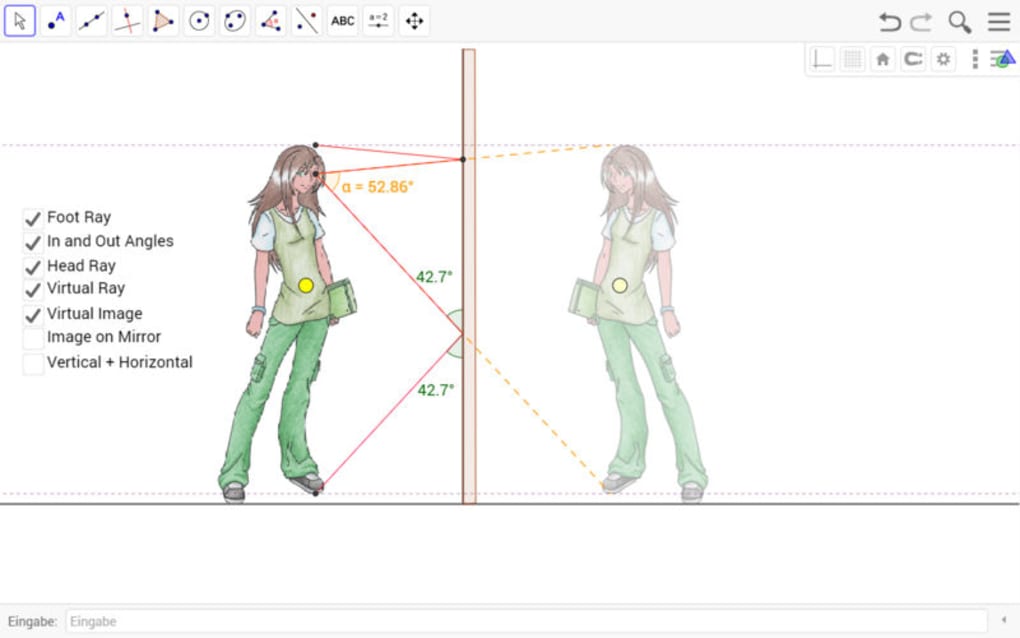
- Dynamic Geometry Engine: Create, modify, and explore geometric constructions instantly. Points, lines, circles, and conic sections respond in real time to drag‑and‑drop actions, allowing learners to discover properties through experimentation.
- Algebra & Spreadsheet Integration: Every geometric object is linked to its algebraic representation. Users can edit equations directly, see corresponding graphs update instantly, and use spreadsheet tables for data analysis and statistical modelling.
- 3D Graphics Support: Visualise solid geometry, vector fields, and surfaces in three dimensions. The 3D view includes rotation, zoom, and perspective controls, making complex spatial concepts accessible.
- CAS (Computer Algebra System) Functionality: Perform symbolic calculations such as factorisation, solving equations, differentiation, and integration without leaving the app.
- Interactive Worksheets & Resources: Access a vast library of community‑contributed activities, import/export GeoGebra files, and embed interactive applets into web pages or learning management systems.
- Cross‑Platform Sync: Work on Windows, macOS, Linux, Android, and iOS with seamless cloud saving. Your constructions follow you from desktop to tablet, ensuring continuity of study.
- Free & Open‑Source License: GeoGebra Classic 6 is distributed under a permissive license, meaning no hidden fees, no subscription, and a transparent development roadmap supported by a global community.
- Accessibility Features: Keyboard navigation, screen‑reader support, and high‑contrast themes make the app usable for learners with diverse needs.
Beyond the bullet points, each feature is thoughtfully integrated so that switching between algebraic, graphical, and statistical views feels natural. The real‑time linking between representations empowers students to test hypotheses instantly—an essential skill in modern STEM education. Moreover, the open‑source nature invites educators to customise toolbars, develop plug‑ins, or even contribute code, fostering a collaborative ecosystem that keeps the software fresh and relevant.
Installation, Usage & Compatibility
Step‑by‑Step Installation
Downloading GeoGebra Classic 6 is straightforward. Visit the official GeoGebra website, select the appropriate platform, and click the Download Free button. For Windows users, an .exe installer will launch; macOS users receive a .dmg file, while Android and iOS users are directed to the Google Play Store or Apple App Store respectively. After the installer finishes, launch the application and follow the on‑screen tutorial that introduces the main toolbar, view panes, and basic gestures such as pinch‑to‑zoom on touch devices.
Getting Started Quickly
Once opened, the default workspace displays a blank coordinate grid. Begin by typing an equation (e.g., y = sin(x)) into the input bar; the graph appears instantly. Use the point tool to place a movable point on the curve, then explore its coordinates in the algebra view. To create a geometric construction, select the polygon tool, click successive vertices, and watch the side lengths and interior angles update automatically. The “Help” menu offers searchable tutorials, and the “Resources” tab connects you to thousands of pre‑made activities suitable for any grade level.
Supported Operating Systems: Windows 10 or later, macOS 10.13 or later, Linux (Ubuntu, Fedora, etc.), Android 6.0 or later, iOS 11 or later. The application runs efficiently on both high‑end workstations and modest tablets, thanks to an optimized rendering engine that leverages hardware acceleration where available.
Best Practices for Secure Use
GeoGebra Classic 6 receives automatic updates via the built‑in updater on desktop platforms and through the app stores on mobile devices. Keeping the software current ensures you benefit from security patches, new features, and performance improvements. For institutions, administrators can deploy the MSI installer on Windows networks or use mobile device management (MDM) solutions to push the app to student tablets. All user data is stored locally unless you opt into cloud sync, which encrypts files end‑to‑end before they leave your device.
Pros and Cons
Advantages
- Completely free with no hidden subscriptions or ads.
- All‑in‑one environment that unifies algebra, geometry, calculus, and statistics.
- Cross‑platform compatibility ensures work can continue on any device.
- Robust community resources provide ready‑made lessons and interactive worksheets.
- Real‑time linking between visual and symbolic representations accelerates conceptual understanding.
- Open‑source development encourages transparency and rapid feature updates.
Limitations
- Steeper learning curve for absolute beginners unfamiliar with mathematical notation.
- Limited offline collaboration features; sharing relies on cloud or manual file exchange.
- Performance variance on very old hardware, especially with complex 3D models.
- Interface clutter for users who need only a subset of tools; customization requires extra steps.
Overall, the benefits far outweigh the drawbacks, especially considering the zero‑cost model and the breadth of functionality that rivals many paid alternatives. Teachers appreciate the ease of creating interactive content, while students love the freedom to experiment without fear of breaking a “right answer.”
FAQ & Conclusion
Is GeoGebra Classic 6 truly free for commercial use?
Yes. GeoGebra Classic 6 is released under a free‑to‑use license that permits personal, educational, and commercial usage without any licensing fees. Schools, universities, and even private tutoring businesses can install and deploy the software on multiple machines at no cost.Can I import and export files to other math software?
GeoGebra supports a wide range of file formats. You can import CSV, Excel, and plain‑text data, as well as SVG and PDF graphics. Export options include GeoGebra’s native.ggb files, LaTeX code for equations, and image formats such as PNG and SVG for inclusion in documents or presentations.
How does cloud syncing work across devices?
When you create a free GeoGebra account, your constructions are stored on GeoGebra’s secure servers. The “Save to Cloud” button uploads the current.ggb file, which is then accessible from any logged‑in device. Syncing occurs over HTTPS with end‑to‑end encryption, ensuring your data remains private.
Is there a way to customise the toolbar for specific classroom needs?
Absolutely. GeoGebra Classic 6 includes a “Toolbar Editor” where you can drag‑and‑drop tools, create custom palettes, and even hide advanced functions that might overwhelm younger students. These customisations can be saved as separate profiles and shared via the cloud.What kind of support is available if I encounter bugs?
GeoGebra maintains an active support forum, a public issue tracker on GitHub, and an in‑app “Report a Problem” feature. Because the codebase is open source, many bugs are addressed quickly by community contributors, and you can even submit patches if you have programming experience.In summary, GeoGebra Classic 6 stands out as a powerful, free, and secure mathematics tool that caters to a broad audience—from elementary teachers crafting simple shape activities to university researchers modelling complex multivariate functions. Its dynamic linking of algebraic and geometric views, coupled with a rich library of community resources, makes it an indispensable asset for anyone looking to deepen their mathematical intuition. Ready to boost your math skills? Download GeoGebra Classic 6 now and start exploring mathematics in a way that’s interactive, visual, and completely free.







